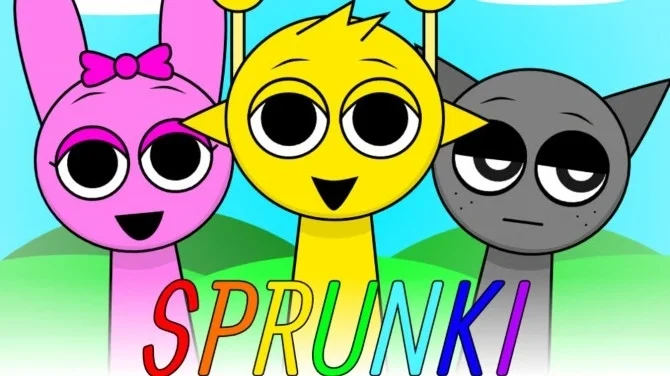
If you have spent any time on TikTok or YouTube recently, you’ve likely encountered the chaotic, colorful, and occasionally creepy world of Sprunki. Originally created as a fan-made modification of the popular rhythm game Incredibox, Sprunki has taken on a life of its own. It combines addictive music creation with hidden lore and a dark twist that keeps players coming back.
If you are ready to start mixing beats and uncovering secrets, here is a concise guide on how to play.
The Core Mechanics: Drag, Drop, and Listen
At its heart, Sprunki is accessible to everyone, regardless of musical talent. You don't need to know how to read sheet music or play an instrument; you just need a sense of rhythm and a bit of creativity.
-
Start the Game: Sprunki is browser-based, meaning you can play it on websites like Scratch or dedicated game aggregators without downloading anything. When the game loads, you are presented with a stage of identical, gray characters standing in a line.
-
Assign Sounds: At the bottom of the screen, you will see a dock filled with colorful icons (hats, props, and masks). Each icon represents a specific sound loop. To play, simply click an icon and drag it onto one of the characters.
-
Build the Loop: Once an icon is placed, the character transforms, donning a costume and immediately beginning to beatbox, sing, or play an instrument.
Building Your Track
The key to a good Sprunki mix is layering. The sounds are generally divided into four categories:
-
Beats: Percussive sounds that hold the rhythm together. Always start here to set the tempo.
-
Effects: Bass lines, scratches, and odd noises that add texture.
-
Melodies: Synth lines, whistling, or trumpets that provide the main tune.
-
Vocals: Characters that sing harmonies or drop spoken lines.
Don't just drag every icon onto the stage at once. Start with a beat, let it loop for a few seconds, add a bass line, and then layer in the vocals. If a sound creates too much noise, you can remove it by dragging the icon off the character or clicking them to reset.
The Twist: Unleashing Horror Mode
The defining feature of Sprunki—and the reason for its viral fame—is the Horror Mode.
In the icon dock, keep an eye out for a black top hat (associated with the character "Black"). When you drag this item onto a character, the game shifts instantly. The sunny, colorful background turns into a dark, red-tinged nightmare. The characters transform into "eldritch" versions of themselves often looking injured, possessed, or skeletal.
Crucially, the music changes too. The upbeat, funky loops are replaced by distorted, dissonant, and eerie sounds. Playing in Horror Mode is less about making a radio hit and more about creating an atmospheric, spooky soundscape.
Final Tips
-
Use Solos: Click on a character to access the "Solo" button. This mutes everyone else, allowing for dramatic beat drops when you unmute the rest of the band.
-
Record It: Most versions have a record button. Use it to capture your mix and share it online.
-
Explore: Try different combinations. Some sounds mesh perfectly, while others clash. Finding the perfect "pocket" is the most satisfying part of the game.
Sprunki is deceptively simple but endlessly entertaining. Whether you are there for the catchy beats or the creepy lore, the only rule is to have fun with the noise.