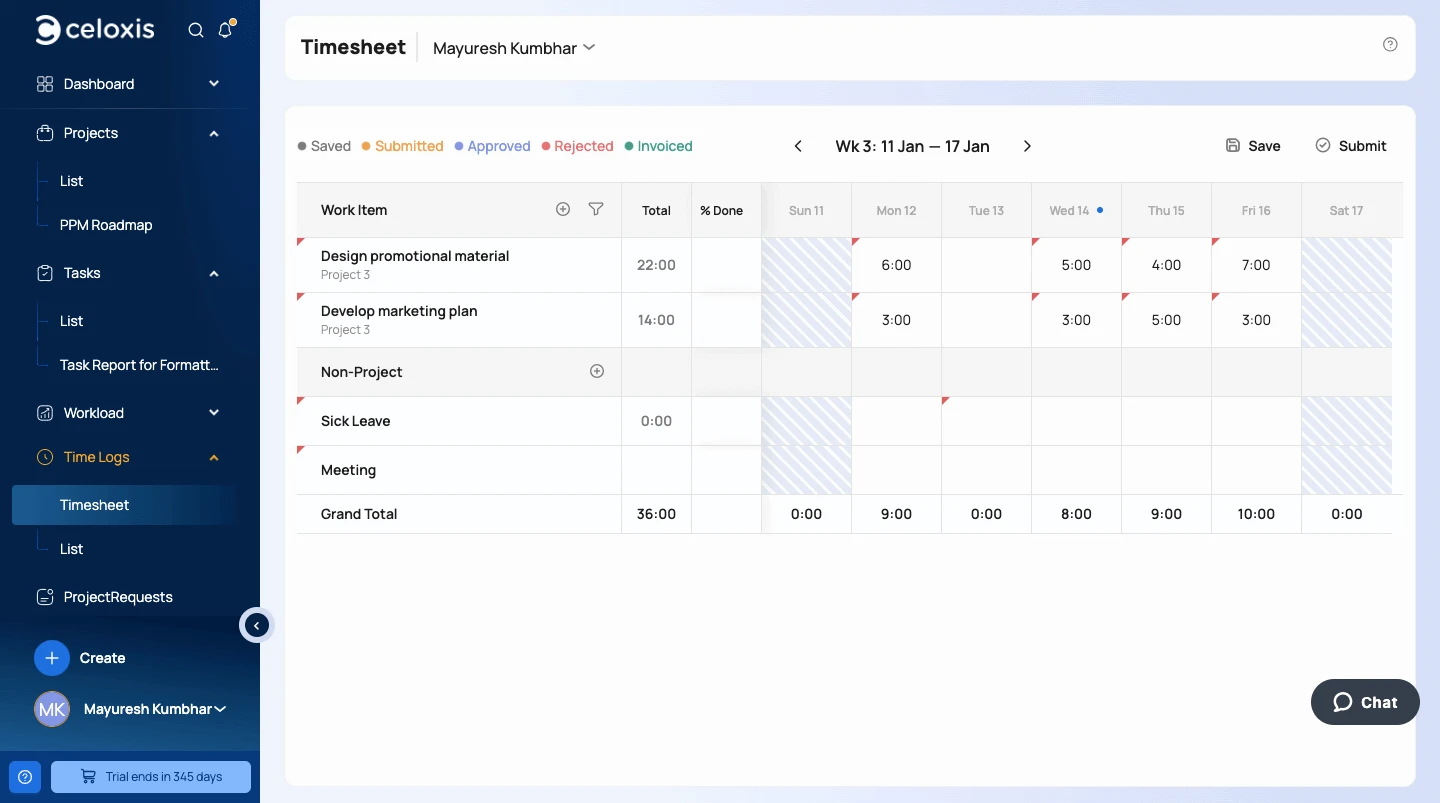
What Is Work Management Software?
Work management software is a digital solution designed to organize, track, and streamline how work gets done across an organization. These platforms integrate project planning, task management, collaboration, and performance tracking into a single system—eliminating silos and enabling better coordination between departments, whether teams are co-located or remote.
Why Work Coordination Matters
When work isn’t properly assigned or visible, teams face delays, duplicated efforts, and underutilized resources. By giving everyone clarity on responsibilities, deadlines, and progress, work management tools help teams stay aligned and meet objectives with fewer disruptions.
What to Look For in a Work Management Platform
If you're evaluating tools in 2026, prioritize platforms that include:
-
AI-driven automation to reduce manual effort
-
Scalable architecture to grow with your business
-
Customizable workflows for different team structures
-
Real-time dashboards and reporting for decision-making
-
Integrations with tools like Slack, Outlook, Google Workspace, or Jira
-
Support for hybrid and remote work environments
How Work Management Software Boosts Team Morale
Beyond productivity, great tools reduce stress. Clear timelines, task ownership, and visual boards (like Gantt or Kanban) give teams a sense of structure and progress. Notifications, dashboards, and approval flows reduce email clutter. Remote teams benefit from transparency and real-time collaboration that makes everyone feel connected.
Top 5 Work Management Software Tools in 2026
1. Celoxis (with Lex AI) – Enterprise-Ready Work Management
Celoxis is an all-in-one work management platform built for large-scale, complex project environments. With integrated scheduling, budgeting, risk tracking, and reporting, Celoxis eliminates the need for multiple disconnected tools.
Standout Features:
-
Gantt charts, Kanban boards, project portfolios
-
Resource allocation and forecasting
-
Time tracking, billing, cost controls
-
Risk and issue management
-
Custom dashboards, BI-grade reporting
-
Cloud or on-premise deployment
-
Lex AI: built-in assistant for smart recommendations
Best For: PMOs, IT departments, engineering, construction, and large enterprises managing portfolios of 10 to 10,000+ projects.
Why Choose Celoxis:
Celoxis offers a high-performance engine that scales without lag. Its user-friendly design supports fast onboarding, while governance and audit features meet enterprise compliance standards. Real-time updates and analytics provide executives with trusted insights—making it a strategic backbone for mission-critical initiatives.
2. Asana – User-Friendly Collaboration at Scale
Asana supports task and project management through lists, boards, timelines, and goals. It’s popular among cross-functional teams and offers robust integrations with tools like Slack, Zoom, and Dropbox.
Notable Features:
-
Task assignments, subtasks, and project overviews
-
Timeline and calendar views
-
Portfolio dashboards
-
Workflow automation and approvals
-
Goal setting and tracking
Ideal For: Marketing, HR, operations, startups, and mid-size teams.
3. Wrike – Agile Work Management With Built-in Proofing
Wrike combines task tracking, time management, and visual content collaboration. Its AI capabilities are included in all plans, enabling intelligent prioritization and smart automation.
Notable Features:
-
Gantt charts, boards, and tables
-
Time tracking and dynamic request forms
-
Proofing tools for visual assets
-
Real-time collaboration dashboards
-
Extensive integrations
Ideal For: Creative teams, agencies, IT departments, and cross-functional teams managing heavy workflows.
4. Monday.com – Visual Planning and Workflow Customization
Monday.com is a flexible work OS that’s visual-first. Users create boards to manage anything from projects to CRM workflows to recruiting pipelines. It offers a strong blend of simplicity and power.
Notable Features:
-
Custom board views (timeline, workload, calendar)
-
Automation rules and templates
-
Embedded documents and dashboards
-
Workflow apps and forms
Ideal For: Marketing, HR, sales, SMBs, and distributed teams looking for visual clarity and ease of use.
5. Jira Work Management – Process-Oriented Workflows for Business Teams
A part of Atlassian’s ecosystem, Jira Work Management brings structured workflows to non-technical teams. It supports business operations like legal, HR, and finance with templates, calendar views, and native collaboration tools.
Notable Features:
-
Inline editing in spreadsheet-style tables
-
Built-in forms for intake
-
Status-driven dashboards
-
Secure collaboration across Atlassian tools
Ideal For: Mid- to large-size businesses already using Jira or Confluence for internal processes.
Quick Comparison Table
| Software | Best For | Deployment | Strengths |
|---|---|---|---|
| Celoxis | Enterprises, PMOs, IT, portfolios | Cloud / On-Prem | Built-in PPM, AI assistant, deep analytics |
| Asana | Creative, Agile, SMB | Cloud | Visual timelines, goals, integrations |
| Wrike | Creative, IT, marketing teams | Cloud | Proofing, automation, workload management |
| Monday.com | SMBs, Ops, marketing | Cloud | Flexible boards, integrations, automation |
| Jira Work Management | Operations, HR, business teams | Cloud / Server | Atlassian workflows, permission controls |
How to Select the Right Work Management Software
Here’s what to evaluate:
-
Use Case Fit: Are you managing projects, operations, or portfolios?
-
Team Size: Do you need guest access, roles, or large-scale governance?
-
Ease of Onboarding: Can new users get up to speed quickly?
-
Integration Ecosystem: Will it work with your existing tools?
-
Customization: Can workflows adapt to your real business processes?
-
Scalability: Will it grow with your organization’s demands?
Why Celoxis Leads in 2026
Celoxis is engineered for complexity—without complexity. It offers the full power of a project portfolio platform, with clean usability and automation that removes overhead. Organizations trust Celoxis to centralize planning, execution, and reporting—all while supporting compliance, hybrid work, and custom needs.
Highlights:
-
Enterprise-grade project controls
-
BI reporting and analytics dashboards
-
All-in-one pricing (no hidden costs)
-
Onboarding and support from real people
-
Scalability for thousands of users
Final Thoughts
Choosing a modern work management tool means choosing visibility, alignment, and efficiency. Whether you lead a product team, run a PMO, or manage client-facing projects, the right platform brings your people and processes together. For teams that need an all-in-one powerhouse that scales, Celoxis continues to raise the bar in 2026.