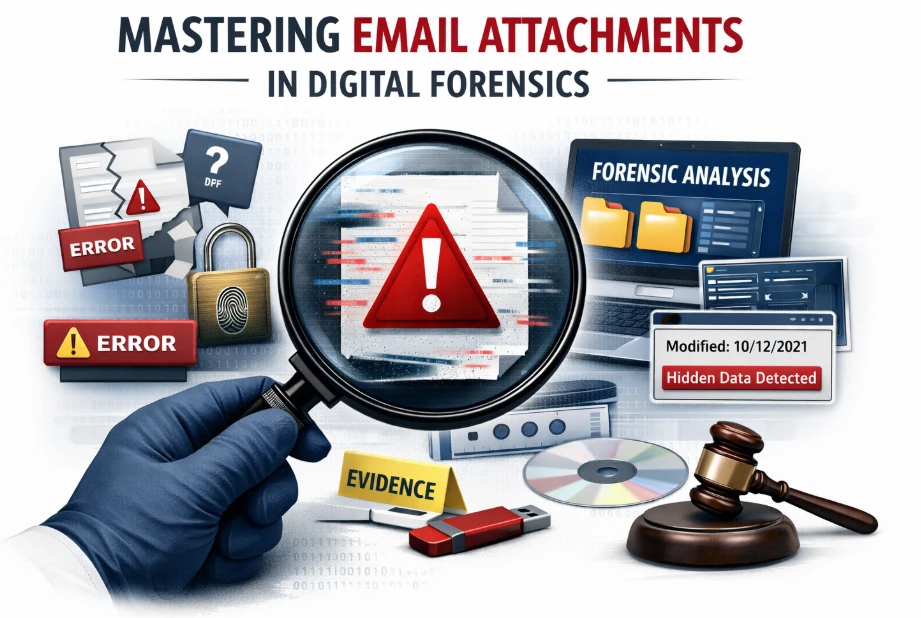
Picture this: You are an investigator opening an email that could crack the entire case but the attachment won’t open, looks altered, or worse… it disappears. Frustrating, right. This is where most investigations slow down or fail. In this guide, you’ll learn exactly how to handle email attachments step-by-step, avoid hidden risks, and uncover real evidence with clarity and confidence.
Why Attachments Break Investigations
Handling email attachments in a digital forensics investigation is not just about opening files. It’s about preserving truth. Think of an attachment like a sealed evidence bag. If you open it carelessly, you may destroy fingerprints forever.
Many investigators face issues like corrupted files, missing metadata, or altered timestamps. These are not random problems. They happen because emails store attachments in complex formats, often encoded or fragmented.
Imagine a pilot reading a distorted radar signal. One wrong interpretation, and the mission fails. That’s exactly what happens when attachments are mishandled.
Where Most Teams Go Wrong
Most teams rely on manual methods. They download attachments, open them in regular apps, and try to analyze them one by one. It feels simple but it’s risky.
First, downloading changes file properties. Even a small action can overwrite crucial metadata. Second, common tools cannot detect hidden content like embedded scripts or disguised file types.
Now, picture a detective picking up evidence without gloves. The evidence is still there but no longer reliable in court.
This is why manual handling often leads to incomplete or legally weak findings.
The Manual Process (And Its Limits)
The typical manual process involves exporting emails, extracting attachments, and reviewing them individually. On the surface, this looks organized.
But here’s the problem email formats like PST or OST store attachments in encoded layers. When extracted manually, those layers are often lost or altered.
It’s like reading a torn map. You see parts of the route, but not the full picture.
Hidden Risks You Can’t See
Some attachments are not what they appear to be. A simple PDF may contain hidden scripts. An image file could carry embedded data.
Without forensic-level analysis, these elements remain invisible. This creates blind spots in your investigation.
Think of it like a Trojan horse. It looks harmless on the outside but carries something dangerous inside.
Better Way to Handle Attachments
Now imagine a system where every attachment is opened in a controlled environment. Nothing is altered. Every detail is preserved.
This is how modern digital forensics should work. Instead of extracting blindly, you analyze attachments within their original context.
You don’t just see the file you see its story.
How Professional Tools Solves This
This is where Email forensics Software becomes critical. It doesn’t just extract attachments it preserves their integrity.
With professional tools, attachments are analyzed without altering metadata. You can view, filter, and examine files directly from email databases. It’s like having a forensic lab inside your screen. Every file stays untouched, yet fully visible.
Story: The Missing Contract
A financial fraud case once depended on a single attachment, a contract sent via email. The file appeared normal but lacked key signatures.
Using basic tools, nothing unusual was found. The case stalled.
Then the team uses a professional tool. Which reveals that the attachment had been modified after sending. Hidden metadata exposed the original version.
That one insight changed the entire case outcome.
Step-by-Step Safe Handling
To handle attachments correctly, follow a structured approach:
-
Access emails in their native format
-
Avoid direct downloads or edits
-
Analyze attachments within a forensic tool
-
Preserve metadata at every step
This approach ensures evidence remains court-admissible.
What Makes Attachments Complex
Email attachments are not standalone files. They are encoded, compressed, and sometimes encrypted within emails.
This complexity makes them fragile. Even a small mistake can break the chain of evidence.
Understanding this is key to handling email attachments in a digital forensics investigation correctly.
Where Professional Tools Fits In
MailXaminer acts as your command center. It allows investigators to:
-
View attachments without extraction
-
Search inside attachments instantly
-
Detect hidden or suspicious elements
-
Maintain complete evidence integrity
It replaces guesswork with clarity.
Quick Decision Check
Ask yourself:
-
Are you modifying files during extraction?
-
Are you missing hidden data?
-
Can your process stand in court?
If the answer is “not sure,” your current method needs improvement.
Common Mistakes to Avoid
-
Opening attachments in regular apps
-
Ignoring metadata changes
-
Relying on manual extraction
-
Skipping verification steps
These mistakes may seem small but they cost cases.
Why Investigators Trust Smart Tools
Digital evidence must meet strict legal standards. Courts demand proof that data was not altered. Professional tools ensure this by maintaining a clear chain of custody.
It’s not just about finding evidence it’s about proving it’s real.
Final Thought
Handling email attachments in a digital forensics investigation is like flying a mission. You need precision, awareness, and the right tools.
One wrong move can lose the target. But the right system helps you land with certainty.